
- Posts: 18
Devo 6S to Devo 8S
- ChrisLevo
-
Topic Author
- Offline
Less
More
23 Oct 2013 05:57 #14891
by ChrisLevo
Devo 6S to Devo 8S was created by ChrisLevo
G'day folks.
I have a 6S which came with early firmware, so I upgraded it to v3.0.0, and it now controls five Blade and three Walkera helicopters.
My 8S arrived just a few minutes ago, and I need to clone the 6S.
I know how to upgrade the firmware (use the nightly build, as mine is labelled 1.0A), but how do I clone the models, please?
Can I also copy all transmitter setting across?
Cheers - Chris
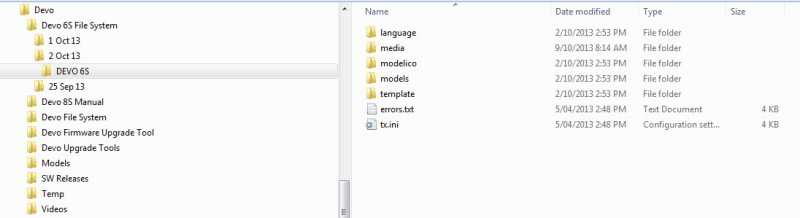
I have a 6S which came with early firmware, so I upgraded it to v3.0.0, and it now controls five Blade and three Walkera helicopters.
My 8S arrived just a few minutes ago, and I need to clone the 6S.
I know how to upgrade the firmware (use the nightly build, as mine is labelled 1.0A), but how do I clone the models, please?
Can I also copy all transmitter setting across?
Cheers - Chris
- vlad_vy
-
- Offline

Less
More
- Posts: 3333
23 Oct 2013 06:07 - 23 Oct 2013 06:08 #14893
by vlad_vy
Replied by vlad_vy on topic Devo 6S to Devo 8S
Will be better use fresh filesystem for Devo8.
Copy only modelXX.ini files from models folder. Then check/change all switches used in every model config.
Copy only modelXX.ini files from models folder. Then check/change all switches used in every model config.
Last edit: 23 Oct 2013 06:08 by vlad_vy.
- rbe2012
-
- Offline
- So much to do, so little time...

Less
More
- Posts: 1433
23 Oct 2013 06:09 - 23 Oct 2013 06:13 #14894
by rbe2012
Replied by rbe2012 on topic Devo 6S to Devo 8S
I just read that you will use the nightly build for your new tx. I have written a post in the assumption that you install the same version on both:
Devo 6 and 8 have the same file system so you should be able to copy the whole file system to the new tx (don't forget to recalibrate the touchscreen and the sticks).
In the model files you have to look which switches are used (and how they are mapped to the Devo8 switches). Maybe you have to clean up a little bit (look at mixer, timer.
If you go the other way you will have to revise your model files careful due to less switches in Devo6.
But you want to update the version. There were so much changes that it will not work this way.
Install the USB file system from the nightly version on your tx after installing the dfu file. You will have a clean tx.
Now copy the model files in the models folder. You should be able to use them (besides some switches which might be mapped elsewhere, see above), but the nightlies contain a complete new user interface which is incompatible to the old. So you have to redesign your main screen (for all models; or load the gui from an already redesigned model as template for the next).
EDIT: vlad was faster, as so often, because I don't get my thoughts in few words...
Devo 6 and 8 have the same file system so you should be able to copy the whole file system to the new tx (don't forget to recalibrate the touchscreen and the sticks).
In the model files you have to look which switches are used (and how they are mapped to the Devo8 switches). Maybe you have to clean up a little bit (look at mixer, timer.
If you go the other way you will have to revise your model files careful due to less switches in Devo6.
But you want to update the version. There were so much changes that it will not work this way.
Install the USB file system from the nightly version on your tx after installing the dfu file. You will have a clean tx.
Now copy the model files in the models folder. You should be able to use them (besides some switches which might be mapped elsewhere, see above), but the nightlies contain a complete new user interface which is incompatible to the old. So you have to redesign your main screen (for all models; or load the gui from an already redesigned model as template for the next).
EDIT: vlad was faster, as so often, because I don't get my thoughts in few words...
Last edit: 23 Oct 2013 06:13 by rbe2012.
- ChrisLevo
-
- Offline
Less
More
- Posts: 18
24 Oct 2013 00:26 #14910
by ChrisLevo
Replied by ChrisLevo on topic Devo 6S to Devo 8S
Thank you both.
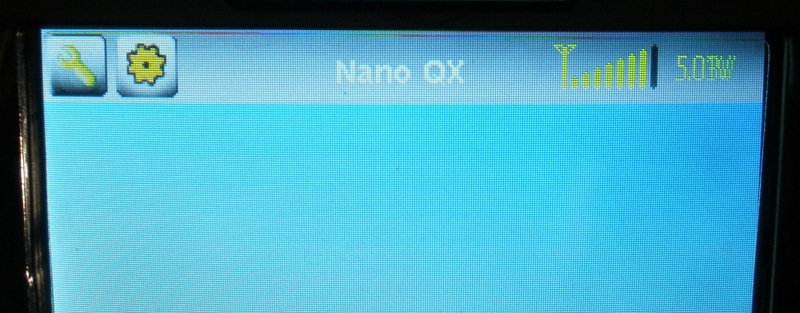
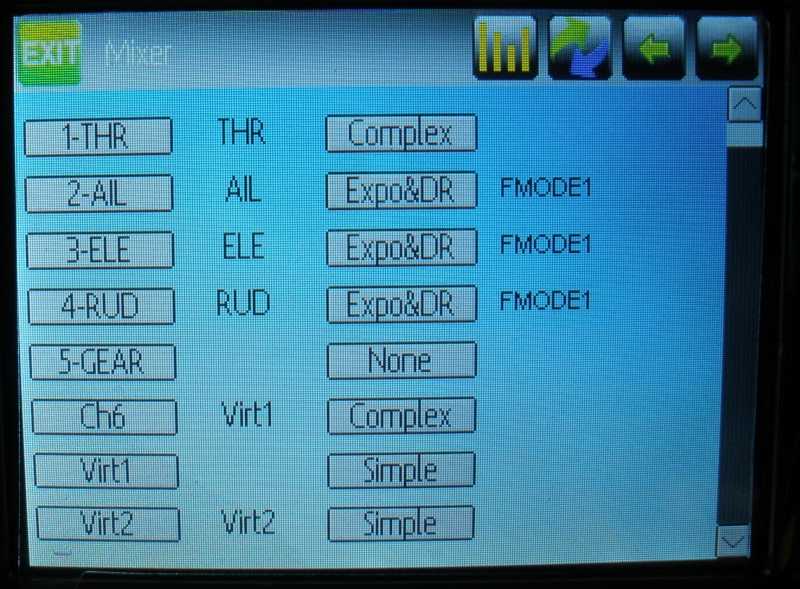
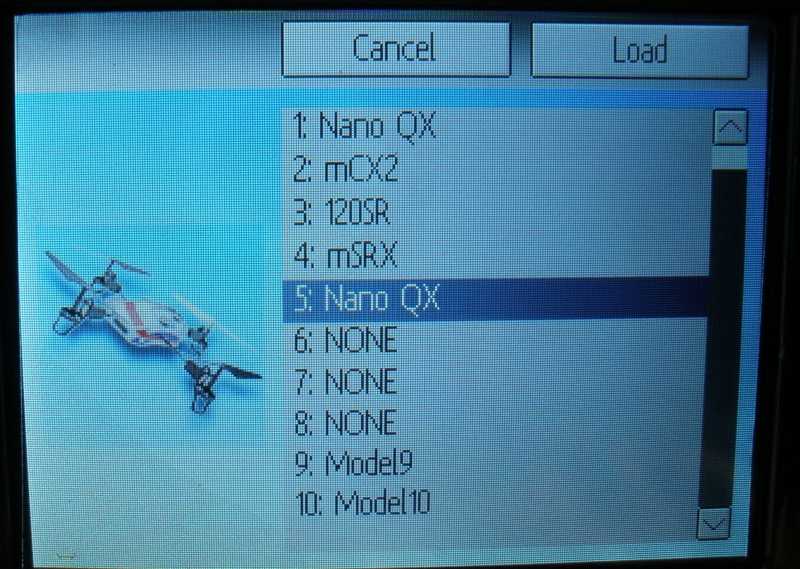
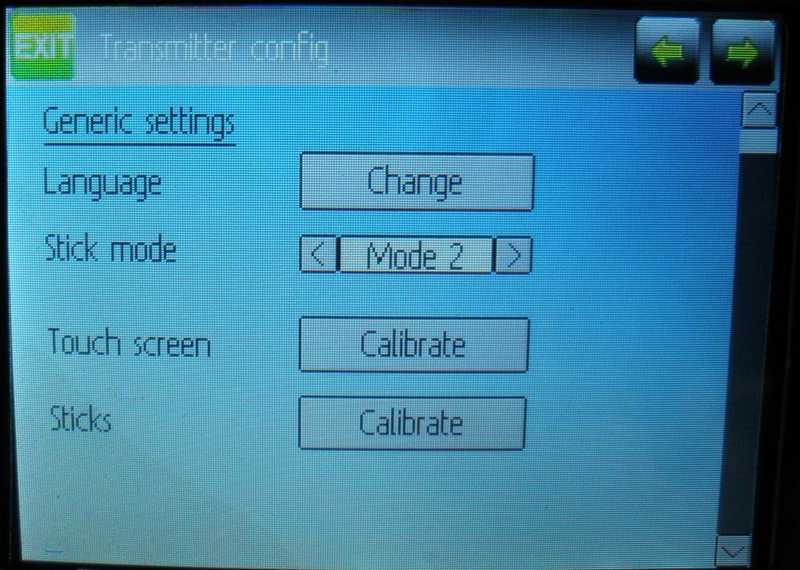
I did that, and now have a sparse GUI.
I have shown the opening screen, and what happens when you touch the icons on the left, and the model name.
Can anyone please tell me what I did wrong?
Chris
I did that, and now have a sparse GUI.
I have shown the opening screen, and what happens when you touch the icons on the left, and the model name.
Can anyone please tell me what I did wrong?
Chris
- vlad_vy
-
- Offline
Less
More
- Posts: 3333
24 Oct 2013 03:14 - 24 Oct 2013 03:19 #14912
by vlad_vy
Replied by vlad_vy on topic Devo 6S to Devo 8S
Empty Main Screen? Seems you use wrong filesystem. Are you sure that you use filesystem with the same version as firmware?
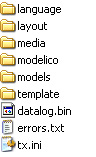
Check missing 'layout' folder (and files inside it) at filesystem. At least you have to get default layout for new GUI, but you got empty screen.
What firmware file do you use?
What filesystem file do you use?
Check missing 'layout' folder (and files inside it) at filesystem. At least you have to get default layout for new GUI, but you got empty screen.
What firmware file do you use?
What filesystem file do you use?
Last edit: 24 Oct 2013 03:19 by vlad_vy.
- ChrisLevo
-
- Offline
Less
More
- Posts: 18
24 Oct 2013 04:05 #14914
by ChrisLevo
Replied by ChrisLevo on topic Devo 6S to Devo 8S
Thank you, Vlad.
I don't know why the Media folder had not loaded, so I reloaded it, and all works fine
I just bound to my Nano QX, and dual rates and SAFE/Agility mode switches work fine.
What I do get at start-up is a message "Ch1 is -95%, safe value is -100%" and I cannot change this by recalibration of my sticks.
Am I looking in the wrong place?
Thanks again to you both - Chris
I don't know why the Media folder had not loaded, so I reloaded it, and all works fine
I just bound to my Nano QX, and dual rates and SAFE/Agility mode switches work fine.
What I do get at start-up is a message "Ch1 is -95%, safe value is -100%" and I cannot change this by recalibration of my sticks.
Am I looking in the wrong place?
Thanks again to you both - Chris
- vlad_vy
-
- Offline
Less
More
- Posts: 3333
24 Oct 2013 04:15 - 24 Oct 2013 04:15 #14915
by vlad_vy
Replied by vlad_vy on topic Devo 6S to Devo 8S
Check throttle channel settings, your min throttle = -95% instead -100%. Look at channel properties (scales, limits, safety and so on), throttle curves.
Last edit: 24 Oct 2013 04:15 by vlad_vy.
- ChrisLevo
-
- Offline
Less
More
- Posts: 18
25 Oct 2013 01:10 #14931
by ChrisLevo
Replied by ChrisLevo on topic Devo 6S to Devo 8S
Thank you.
I have read the manual a few times, and looked at every screen, but can't find where to change it.
Any clues appreciated.
Now off to sell 3 transmitters (6S, 2801 and 2404) which the 8S replaces
Chris
I have read the manual a few times, and looked at every screen, but can't find where to change it.
Any clues appreciated.
Now off to sell 3 transmitters (6S, 2801 and 2404) which the 8S replaces
Chris
- vlad_vy
-
- Offline
Less
More
- Posts: 3333
25 Oct 2013 03:20 - 25 Oct 2013 03:21 #14932
by vlad_vy
Replied by vlad_vy on topic Devo 6S to Devo 8S
Will be better to send your model.ini file. We can inspect it and correct it for Devo8 if needed.
Last edit: 25 Oct 2013 03:21 by vlad_vy.
- ChrisLevo
-
- Offline
Less
More
- Posts: 18
25 Oct 2013 04:13 #14937
by ChrisLevo
Replied by ChrisLevo on topic Devo 6S to Devo 8S
Thank you so much.
This is my model1.ini file, which is for my Nano QX.
I cloned it for the other Blade helos, and it works fine for them, except for the error message.
Cheers,
Chris
PS Just sold the 6S
This is my model1.ini file, which is for my Nano QX.
I cloned it for the other Blade helos, and it works fine for them, except for the error message.
Cheers,
Chris
PS Just sold the 6S
- vlad_vy
-
- Offline
Less
More
- Posts: 3333
25 Oct 2013 04:25 - 25 Oct 2013 04:32 #14939
by vlad_vy
Replied by vlad_vy on topic Devo 6S to Devo 8S
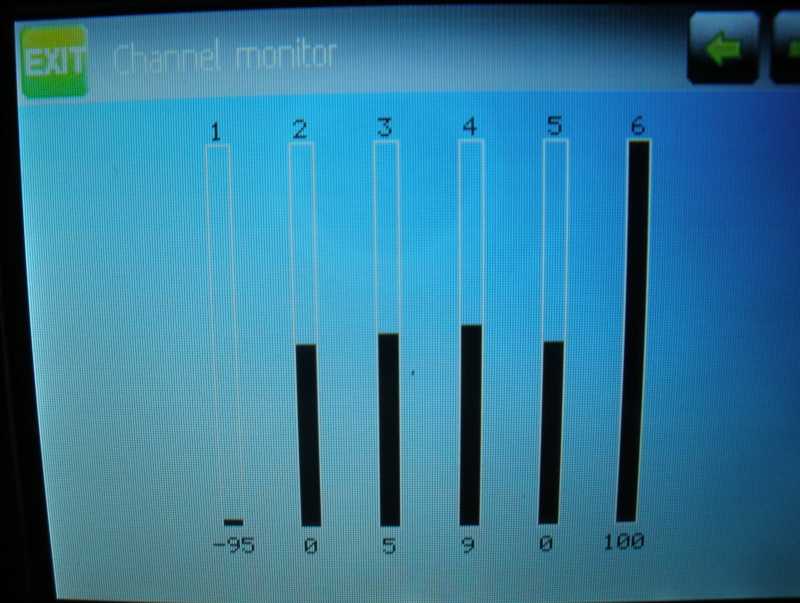
I don't see anything wrong in throttle channel. What do you see at Channel monitor for throttle channel? Range of change has to be -100% to +100%.
When you calibrate sticks, do not press on stick at end points, it can be resulted with wrong end points values.
When you calibrate sticks, do not press on stick at end points, it can be resulted with wrong end points values.
Last edit: 25 Oct 2013 04:32 by vlad_vy.
- ChrisLevo
-
- Offline
Less
More
- Posts: 18
25 Oct 2013 06:50 #14941
by ChrisLevo
Replied by ChrisLevo on topic Devo 6S to Devo 8S
Thanks, Vlad.
Screen shot attached - Chris
Screen shot attached - Chris
- vlad_vy
-
- Offline
Less
More
- Posts: 3333
25 Oct 2013 07:27 - 25 Oct 2013 11:23 #14943
by vlad_vy
Replied by vlad_vy on topic Devo 6S to Devo 8S
You need recalibrate sticks. Elevator and Rudder also have not zero points.
It seems you have problem with stick calibration.
1) Center all sticks, press ENT
2) Move all sticks to max and min (do not press on stick at max and min points), press ENT
3) Check all sticks movement and zero points at Channel monitor.
It seems you have problem with stick calibration.
1) Center all sticks, press ENT
2) Move all sticks to max and min (do not press on stick at max and min points), press ENT
3) Check all sticks movement and zero points at Channel monitor.
Last edit: 25 Oct 2013 11:23 by vlad_vy.
- ChrisLevo
-
- Offline
Less
More
- Posts: 18
01 Nov 2013 05:26 #15183
by ChrisLevo
Replied by ChrisLevo on topic Devo 6S to Devo 8S
Thanks, Vlad.
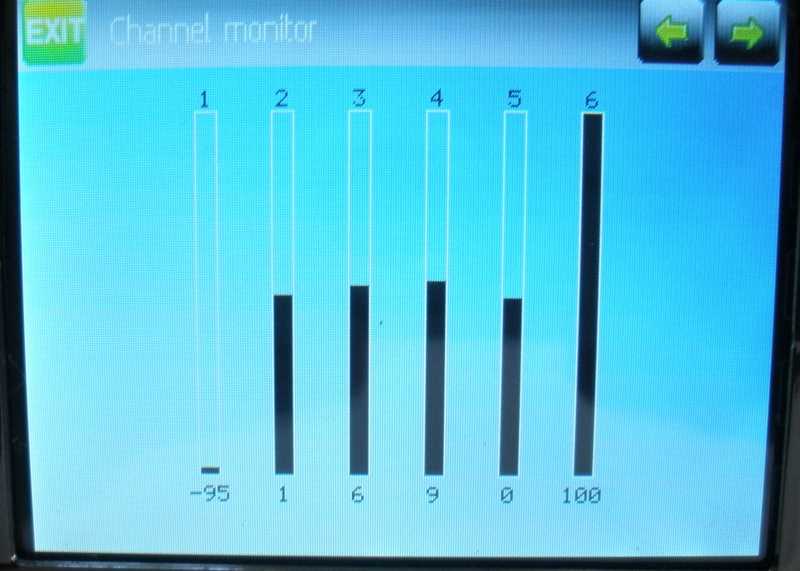
I did that a couple of times, with this result.
I'm somewhat confused.
Chris
I did that a couple of times, with this result.
I'm somewhat confused.
Chris
- vlad_vy
-
- Offline
Less
More
- Posts: 3333
01 Nov 2013 05:57 - 01 Nov 2013 05:58 #15184
by vlad_vy
Replied by vlad_vy on topic Devo 6S to Devo 8S
You have problem with stick calibration. I don' know the reason. Try flash original firmware and library and do stick calibration with original firmware. Then check it in 'Monitor'.
www.walkera.com/en/progoods.php?id=494&type=control
www.walkera.com/en/progoods.php?id=494&type=control
Last edit: 01 Nov 2013 05:58 by vlad_vy.
Time to create page: 0.249 seconds
-
Home

-
Forum
-
General
-
General Discussions
- Devo 6S to Devo 8S